01
The thought arrives mid-task.
You are in a call, a doc, a terminal. The to-do app is three clicks and one Cmd+Tab away. By the time you get there, either the thought is gone or the focus is.
Capture in the notch.
Plan on the desktop.
Hover the notch, say or type what is on your mind, and it becomes a sorted task in about two seconds. Your music, files and focus timer live there too, and the same tasks open in a calm, native Mac app.
3 days free, every feature · No account · macOS 14 (Sonoma) or later
UP NEXT
Call dentist to reschedule
Call mom
Pick up dry cleaning after work
Call dentist to reschedule
Sync with Marta
Wants keyboard-first triage. Loves the command bar.
15:16
Ideas for 2.2
Calendar blocking from the notch. Natural recurring.
15:16
Design review
14:00 – 15:00
Team sync
16:00 – 16:30
Tap the screen to type your own task.
Why lists do not stick
You are in a call, a doc, a terminal. The to-do app is three clicks and one Cmd+Tab away. By the time you get there, either the thought is gone or the focus is.
Priority, project, date, estimate. Every field you fill by hand is a reason to skip it. So you skip it, and the list slowly stops meaning anything.
A list in a window you closed is a list you do not check. With ADHD it is sharper still: if it is not in front of you, it does not exist.
Notchable moves capture to the one place that is always on screen. The sorting is done for you. The timer sits where you cannot lose it.
That is the idea behind Notchable: a notch app built around your to-do list, always one hover away whatever app you are in. It is especially good if you have ADHD, and useful if you do not.
How it works
The workspace opens over whatever you are doing. No dock icon, no window to find. Cmd+N puts the cursor in the composer.
One task or a whole brain dump. “Reply to Jen, gym at 7 tomorrow, someday learn Spanish” becomes three tasks, not one.
Date, priority, category and an effort estimate in about two seconds. Start a focus session and the notch keeps the timer with you.
New in 2.1
Live activities
A running focus session, a reminder that is due, your next event: the notch widens just enough to show it, then returns to its normal size.
Capture
Type or speak, several tasks in one breath. Dates and times are understood in any language, and no time words means no date.
Focus
A Pomodoro timer for Mac that stays in view: pick a task, start, and watch the watch-style dial fill. Add five minutes when you are in flow; the space bar pauses.
Insights
A plain-language verdict first, then the numbers: key metrics with a range bar, your peak hours and a consistency grid.
PICKING UP
Momentum is building this week.
TASKS COMPLETED
14STRONG
FOCUS TIME
3h 20mGOOD
Effort
Every task shows Quick, Short, Focused or Deep work, with the estimate.
Apple Reminders
An Apple Reminders alternative that keeps syncing: tick it off on your iPhone or Watch and it completes on your Mac. Rename or reschedule here and the reminder follows.
NOTCHABLE
Reminders
Projects
Projects get icons. Finish everything for the day and Notchable celebrates with you.
Today cleared
New in 2.3
Notchable now has a Tray: a page of small widgets beside your tasks, and a closed notch that reacts to your Mac. Every piece has its own switch, so the notch holds only what you use.
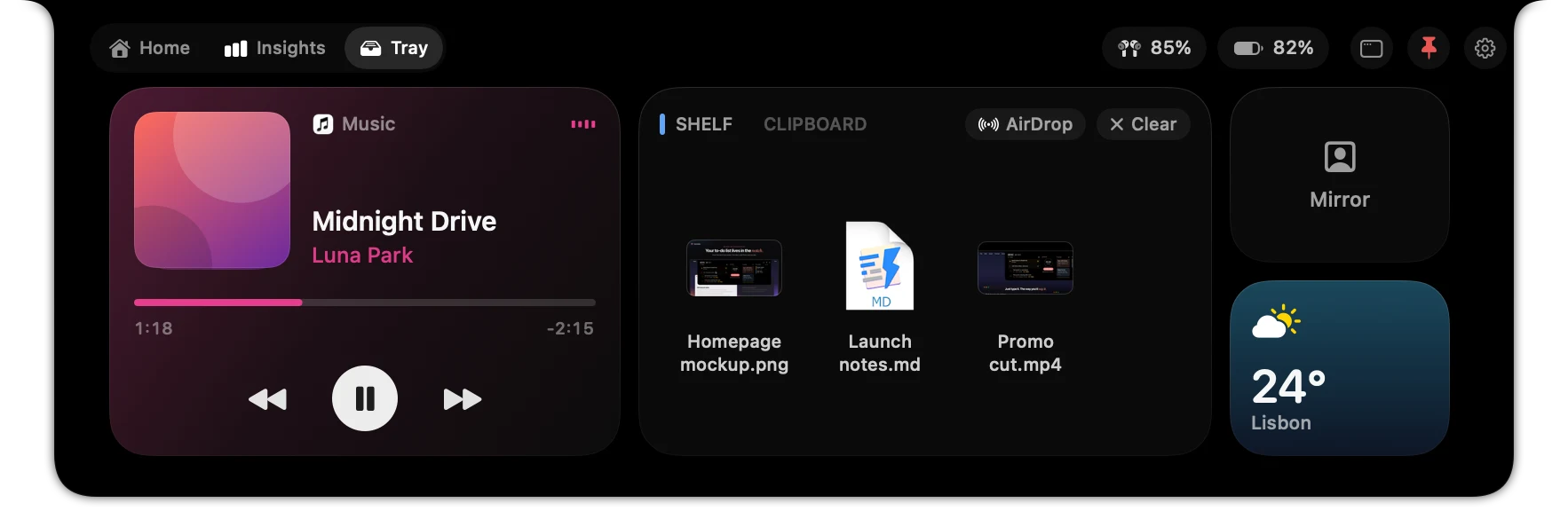
Now playing
The cover and live bars sit beside the notch while a song plays. Open it for the title, a scrubber, and play, pause and skip. Works with Music and Spotify.
File shelf
Drag a file up to the notch and it waits there. Drag it back out where you need it, or send the lot by AirDrop. Nothing is copied or moved.
Clipboard
The last things you copied, one click away. Kept in memory only, never written to disk, and off until you turn it on.
Mirror
A quick look at yourself before a call. The camera runs only while the mirror is open and stops when the notch closes.
Weather
Temperature and conditions where you are, from your approximate location. Off until you turn it on.
Swipes
Two fingers down on the notch opens it. Two fingers sideways skips the song.
A few seconds of motion when something changes, then it hands the notch back to your timer or your music.
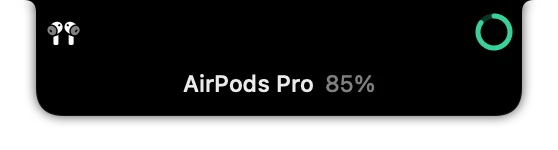
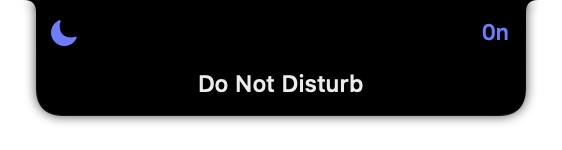
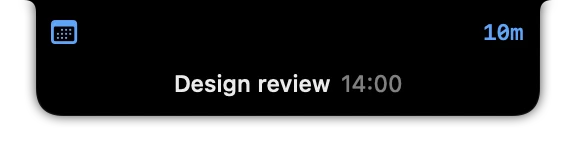
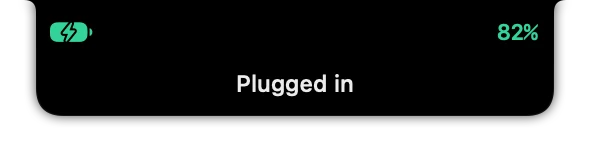
Prefer a notch that only does tasks? Turn the Tray and every moment off in Settings and Notchable is exactly what it was. The player works with Music and Spotify; clipboard and weather stay off until you switch them on.
Everything Notchable puts in the notchHow it compares with other notch apps
Every feature, no account, no card. If the notch does not earn its place by Thursday, drag it to the Trash.
The desktop app
A full, native macOS window with the same tasks and the same data, no sync step. Today, Upcoming, Inbox, projects, a Focus timer and Insights. Included in the same one-time price.
Today
Overdue items sit on top, everything else in the order you will do it. Each row shows the time, category, project and an effort meter, so you can see what fits before you start.

Inspector
Priority, project, category, estimate, schedule, repeat, sub-tasks and notes in a quiet inspector. Drag a task onto Today, Upcoming or a project to triage it. Cmd+Z undoes.

Upcoming
Upcoming groups your tasks by day, so a busy Thursday is visible on Monday. Recurring tasks come back on their own.

Projects
Group work into projects, give each an icon, and break big things into small wins. Everything syncs both ways with Apple Reminders, so it is on your iPhone too.
Why keep Apple Reminders in sync
Insights
A plain-language verdict first, then the numbers: tasks completed, focus time, streak and active days, where the time went, your peak hours and a consistency grid.
Seeing time with ADHD
Sidebar vibrancy, system materials and native controls. The desktop window follows your system appearance; the notch stays black, so it blends into the housing. Drag across the window to compare.

A live recreation of the window. Complete every task to see the Today-cleared celebration, start the Focus dial, open Insights.
Projects
Tuesday, 27 October · 7 left · about 3h 5m
OVERDUE
Send invoice to Studio Kai
TODAY
Fix notch hover flicker on external display
Record demo video for landing page
Call dentist to reschedule
Pick up dry cleaning after work
Prep slides for Wednesday sync
Reply to App Store review from Marta

Quick notes live next to your tasks, in the notch and on the desktop.

Captures without a date wait here until you triage them. Nothing gets a fake deadline.

A log of everything you finished. Completed something by mistake? Undo is one shortcut away.
Your data, your call
Both editions store your tasks on your Mac and need no account. The only difference is where a capture gets read. Speech recognition always runs on your Mac.
Cloud AI
Standard, $19.99 once
A fast cloud model through Notchable's server. The most accurate parser, about two seconds per capture, on any Mac.
On-device AI
Lite, $9.99 once
A 1 GB model downloaded once and run on your Mac. Nothing you write leaves the machine.
Read the privacy policy.
Video Review
“I have a graveyard of task apps. Todoist, Things, TickTick, even a plain text file phase. Notchable is the first one I didn't abandon after two weeks. I just hover the notch, say what's on my mind, and I'm back to coding. Didn't realize how much time I was wasting Cmd+Tabbing around.”
Alex R.
Software Engineer
“My coworker watched me hover the notch and go 'wait what was that.' Now three people on my team use it. I look way more organized than I actually am.”
Maya K.
Product Designer
“Thought it was a gimmick honestly. Then I used it for a week and got annoyed every time I was on my iMac without it. That's when I knew.”
Jordan T.
Freelance Developer
“ADHD brain here. Every other task app requires too many steps and I'd just... not. This one I actually use because there's nothing to open. It's just there.”
Sam L.
Startup Founder
Pricing
No subscription. Todoist Pro is $48 a year; three years of that is $144. Notchable is a one-time purchase with every update included, the desktop app too.
Start here
Free for 3 days
Every feature unlocked. No credit card, no account. After 3 days it simply stops working; nothing is deleted, and your tasks stay in Apple Reminders if sync is on.
Download free trialStandard Most popular
macOS 14 (Sonoma) or later · Apple Silicon and Intel
Prefer on-device AI? Lite
$9.99 once $2050% off
All included features · Apple Silicon · 16 GB memory recommended
Todoist, Things and Reminders are good apps, and each one wins somewhere. What none of them do is capture from the notch, split a spoken brain dump, or keep a focus timer in view while you work.
| Feature | Notchable | Todoist | Things 3 | Reminders |
|---|---|---|---|---|
| Capture without leaving the app you are in | Partial | Partial | Partial | |
| Say several tasks at once and get them split | No | No | Partial | |
| AI sets the date, priority, category and estimate | Partial | No | Partial | |
| Focus timer visible while you work in any app | No | No | No | |
| Two-way Apple Reminders sync | No | Partial | ||
| Full desktop planning app | ||||
| iPhone, iPad, Windows and web appsTasks reach your iPhone and Watch through Reminders sync | Partial | Partial | Partial | |
| Shared lists and collaboration | No | No | ||
| Price | $19.99 once | $48 per year for Pro | $49.99 Mac, $9.99 iPhone, $19.99 iPad | Free with macOS |
Where they win: Todoist if you collaborate or work on Windows. Things if you want the most polished pure-Apple planner. Reminders if free is good enough. Read the full comparison
Notchable is a notch app for Mac built around your to-do list. Hover the MacBook notch, type or say what is on your mind, and AI turns it into tasks with a date, time, priority, category and time estimate. It also runs a focus timer in the notch, syncs both ways with Apple Reminders and includes a native desktop app for planning. Since version 2.3 the notch also has a Tray with now-playing controls for Music and Spotify, a file shelf, clipboard history, a camera mirror and weather, and it animates when AirPods connect or a Focus turns on. It is a one-time purchase: $9.99 (Lite) or $19.99 (Standard), with a free 3-day trial.
Try every feature free for 3 days. Download it, hover the notch, and say what is on your mind.
No credit card · No account · macOS 14 (Sonoma) or later
