A notch app that starts with your tasks
The to-do list that lives in your MacBook notch.
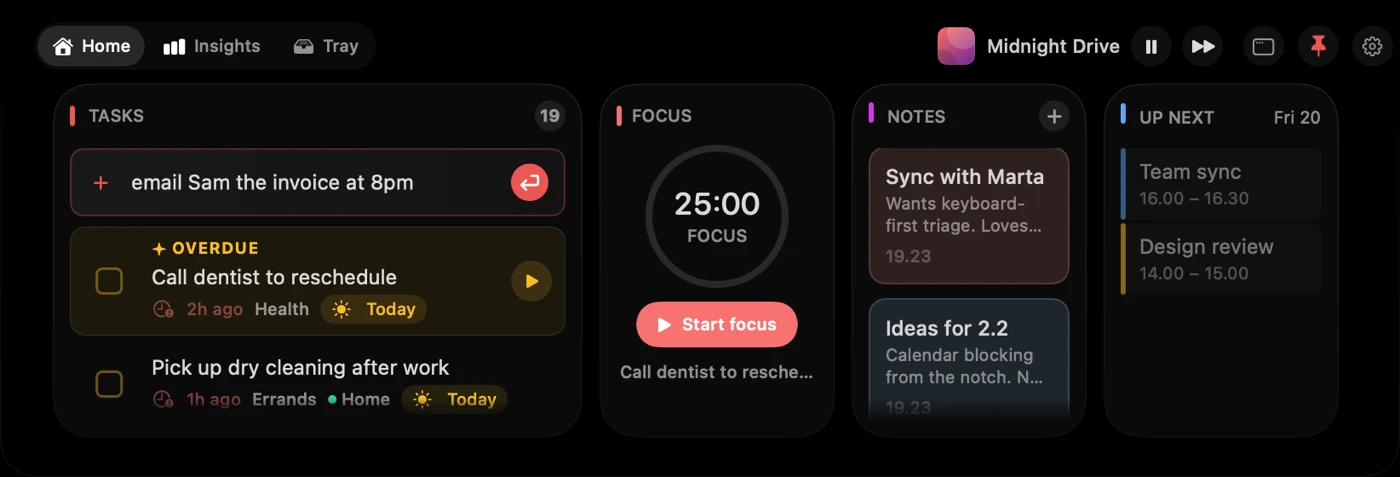
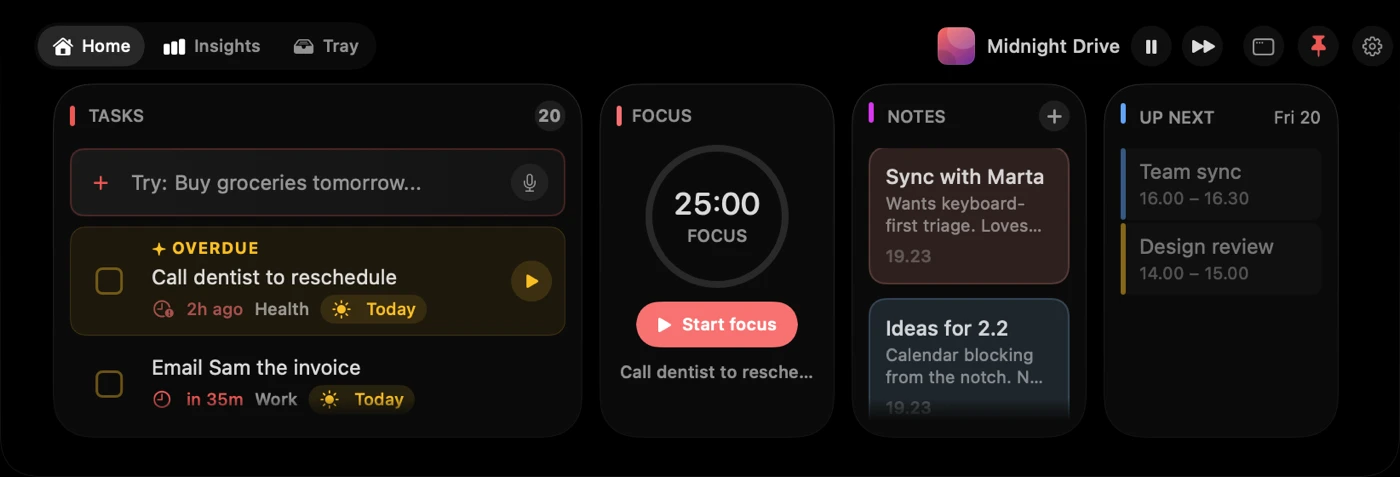
The notch is the one spot on your Mac that is on screen in every app. Notchable puts your task list and a focus timer there: hover it, type or say what is on your mind, and it is sorted in about two seconds. A full desktop app is included for when you need the whole picture.
3 days, every feature, no account · then from $9.99 once
What the notch is good for
Your music, a glance away.
While a song plays in Music or Spotify, its cover sits beside the notch. Open the Tray to pause, skip or scrub, or swipe sideways on the notch to change song.
A shelf for files.
Drag a file up to the notch and it stays there until you drag it out or AirDrop it. The Tray also keeps a clipboard history, a camera mirror and the weather.
It notices your Mac.
AirPods connecting, a Focus turning on, the charger going in, a meeting ten minutes away: the closed notch shows it for a few seconds, then steps back.
Capture without leaving your app.
Hover the notch or press Cmd+N, type or say the task, move away. The window you were in never loses focus.
Sorted in about two seconds.
Write it the way you would say it. “Email Sam the invoice at 8pm” gets the time, a category and a place in Today. No date picker, no fields.
Several tasks in one breath.
“Reply to Jen, gym at 7 tomorrow, someday learn Spanish” becomes three tasks, each with its own date.
A timer you cannot lose.
Start a focus session and the closed notch widens to show a ring and the countdown in every app, then shrinks back when you stop.
Reminders that come to you.
A task that is due shows up in the notch as a live activity until you deal with it. Nothing to open, nothing to check.
A real app behind it.
When the day needs planning, the same tasks open in a native Mac window with projects, sub-tasks, a weekly review and Insights.
The time, always in the corner of your eye.
Start a focus session from the notch or the desktop app. While it runs, the closed notch grows just wide enough for a progress ring on one side and the countdown on the other. It follows you into every app and every Space, and goes back to a plain notch when you stop.

And a full Mac app when you need one.
The notch is for capturing and for the next thing. Planning happens in a native desktop window with Today, Upcoming, Inbox, projects, a Focus dial and Insights. Same tasks, same data, no sync step, included in the same purchase.

Who it is for, and who it is not
- You lose thoughts between the moment you have them and the moment your to-do app is open.
- You want a timer you can see without keeping another window around.
- You would rather pay once than subscribe.
- Not for you if you want controls for every media app, including browsers, or a replacement for the macOS volume pop-up. The player works with Music and Spotify.
- Not for you if you need shared lists or team projects.